Case study · Client project
SS-4 Automation
A custom AI-powered application I built for a business services client. It turns a stack of client documents into a completed IRS Form SS-4, with a person reviewing every detail before anything is filed.
The problem
Slow, repetitive, and easy to get wrong
The client regularly applies for Employer Identification Numbers (EINs) for their own customers' new retirement plans. Each application requires IRS Form SS-4.
Every filing was done by hand. Someone had to read through the customer's paperwork, pick out the right details, and type them onto a form full of fields and checkboxes. The work was repetitive and took a large part of the workday. When you're entering the same kinds of details by hand, form after form, it's easy to make small mistakes: a typo, a missed field, or the wrong box checked. One wrong checkbox could get a filing rejected and send it back into the IRS queue.
The solution
Let the software do the prep, and a person approve it
I built an application that handles the preparation work. It reads the documents, pulls out the relevant details, fills in the form, and applies the IRS rules for retirement plans. Then it hands everything back to a person to review and approve.
It runs as a standalone Windows desktop app that opens with one click, so the client's team didn't need any technical setup.
How it works
Four steps from documents to a finished form
- 01
Upload
Add the client's documents for the case.
- 02
Choose the plan type
Select the kind of plan the EIN is for.
- 03
Review
Check the filled-in details and correct anything that needs it.
- 04
Download
Save the completed SS-4 as a PDF, ready to file.
Features
What it does
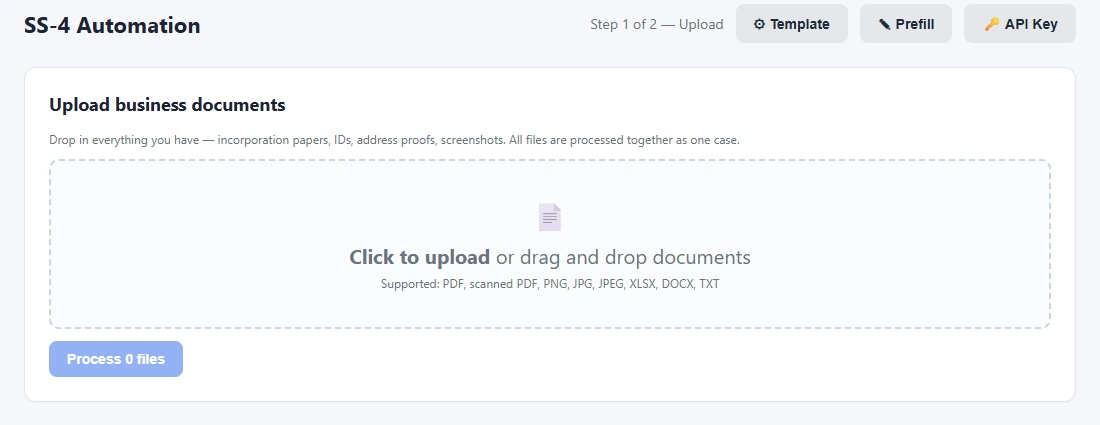
Upload everything at once
Incorporation papers, IDs, address proofs, and screenshots go in together and are processed as one case. It accepts PDFs, scanned PDFs, images, spreadsheets, Word documents, and text files.
AI pulls out the details
The application reads the documents, finds the information the form needs, and matches each piece to the right SS-4 field. Every value can be traced back to the document it came from.
Form rules built in
The entity type, reason for applying, and activity checkboxes are set the way the IRS expects for retirement plans. Plan details such as cash balance and 401(k) information are handled where they apply.
Review and correct
Everything appears on a review screen with a completeness checklist. A person can edit or correct any value before the form is created.
Fills the official IRS form
It produces a completed copy of the real Form SS-4 PDF, with safeguards that prevent two conflicting boxes from being checked.
Ready for new form versions
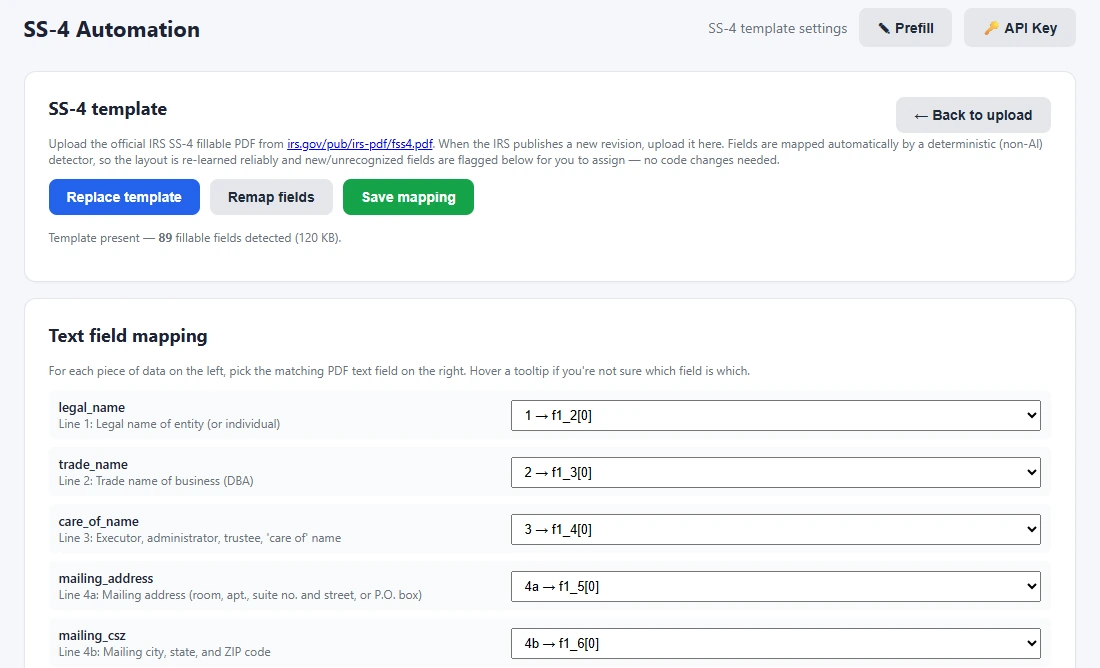
When the IRS releases a new version of the form, it can be loaded in the template settings. Fields are matched up automatically, and any new ones are flagged for review.
The result
What changed for the client
Approximate prep time per form
10–15 mindown toabout 2 min
Filling out an SS-4 by hand, including entering client details and checking for mistakes, took roughly 10 to 15 minutes. With the tool, it takes about 2.
Reviewing instead of retyping
Staff now check a completed form instead of copying details onto a blank one by hand.
Faster turnaround
Preparing a form takes a fraction of the time it used to, which frees the team for other work.
Fewer mistakes
Checkbox rules are applied the same way every time, which addresses the easy-to-miss errors that led to rejected filings.
Traceable and reusable
Every value links back to its source document, and the same setup works for each new client.
The client's identity and their customers' information are kept confidential. The screenshots show the application's own interface, not client data.
Need something similar?
Tell me about the process you'd like to improve.